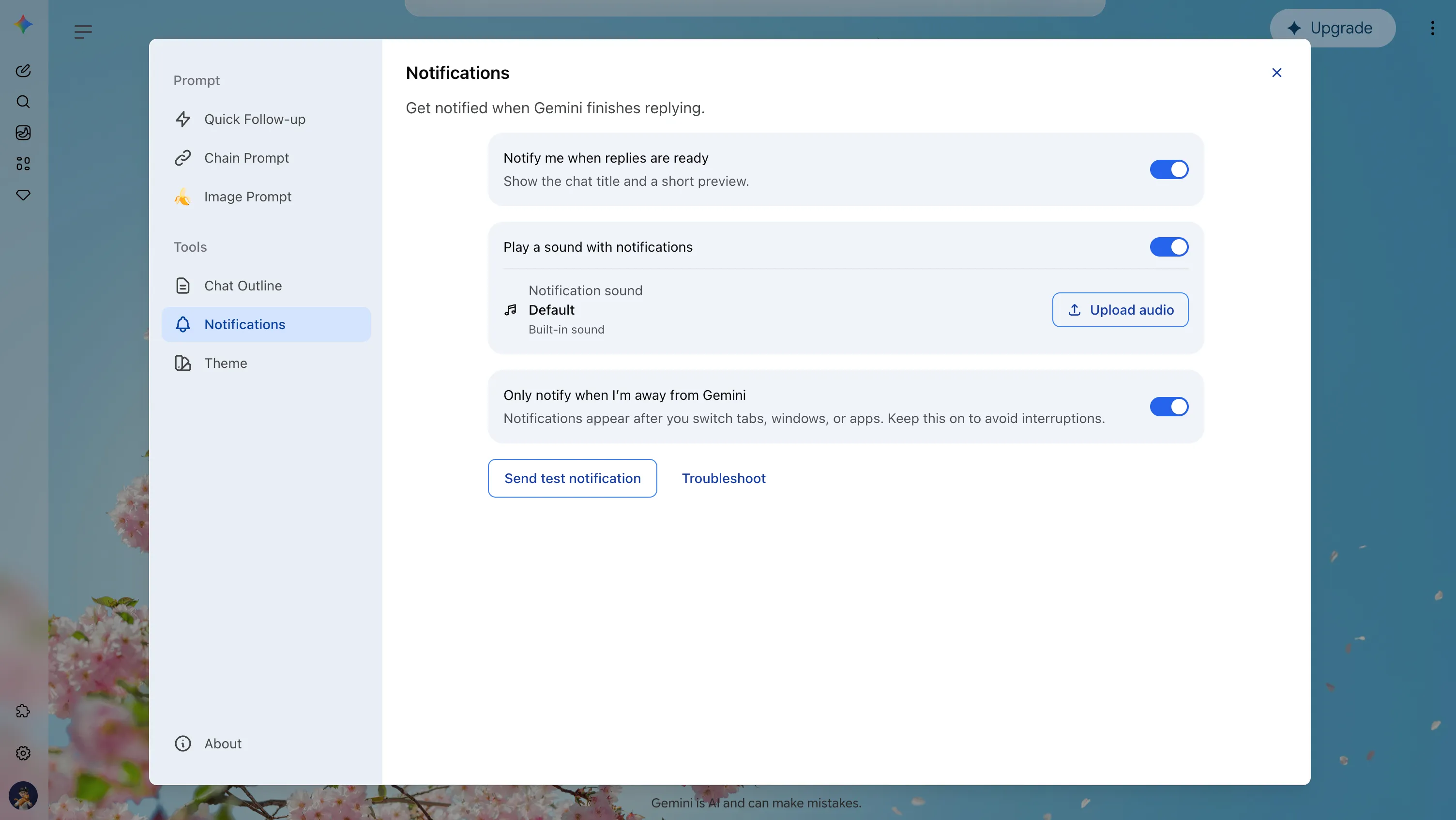
Notify me when replies are ready
Shows a system notification with the chat title and a short response preview after Gemini finishes a standard reply or a Deep Research report.
Turn this on when you regularly leave Gemini running in a background tab.
New to completion alerts? Follow How to Get Notified When Gemini Finishes for setup and a quick test.
Notifications let you leave a Gemini tab while a response is generating. When a standard Gemini reply or a Deep Research report finishes, Gemini Power Kit can send a system notification with the chat title and a short response preview. By default, it alerts you only while you are away from Gemini.
Click the notification to focus the Gemini tab that created it. If you changed conversations in that tab while waiting, you may need to open the earlier conversation yourself. The notification is then cleared from the notification center.
Long replies should not force you to keep watching one tab. Notifications help when you:
Shows a system notification with the chat title and a short response preview after Gemini finishes a standard reply or a Deep Research report.
Turn this on when you regularly leave Gemini running in a background tab.
Plays a short completion sound after a notification is created. This separate sound option is available on Chromium browsers.
Use it when visual notifications are easy to miss or when Gemini is behind another app.
Use the built-in completion sound or upload your own audio file for a more recognizable notification cue.
Custom audio is stored locally by the extension and is used only for notification sound playback.
On by default. Suppresses alerts while the Gemini page is visible and focused; turn it off to receive alerts there too.
Keep it on when you want a reminder after switching tabs, windows, or apps.
Creates a test alert so you can confirm that browser and system notification settings are working.
Run this immediately after enabling notifications or after changing operating-system settings.
Opens guidance for checking browser permissions and operating-system notification settings.
Use it when the feature is enabled but no alert appears.
Notifications detect standard Gemini replies and supported Deep Research report completions. Other Gemini workflows, such as Canvas, may not create a completion alert. The separate sound and custom-audio controls are available on Chromium browsers; Firefox uses its browser and system notification behavior.
If the test notification does not appear: