
Open in New Tab
Overview
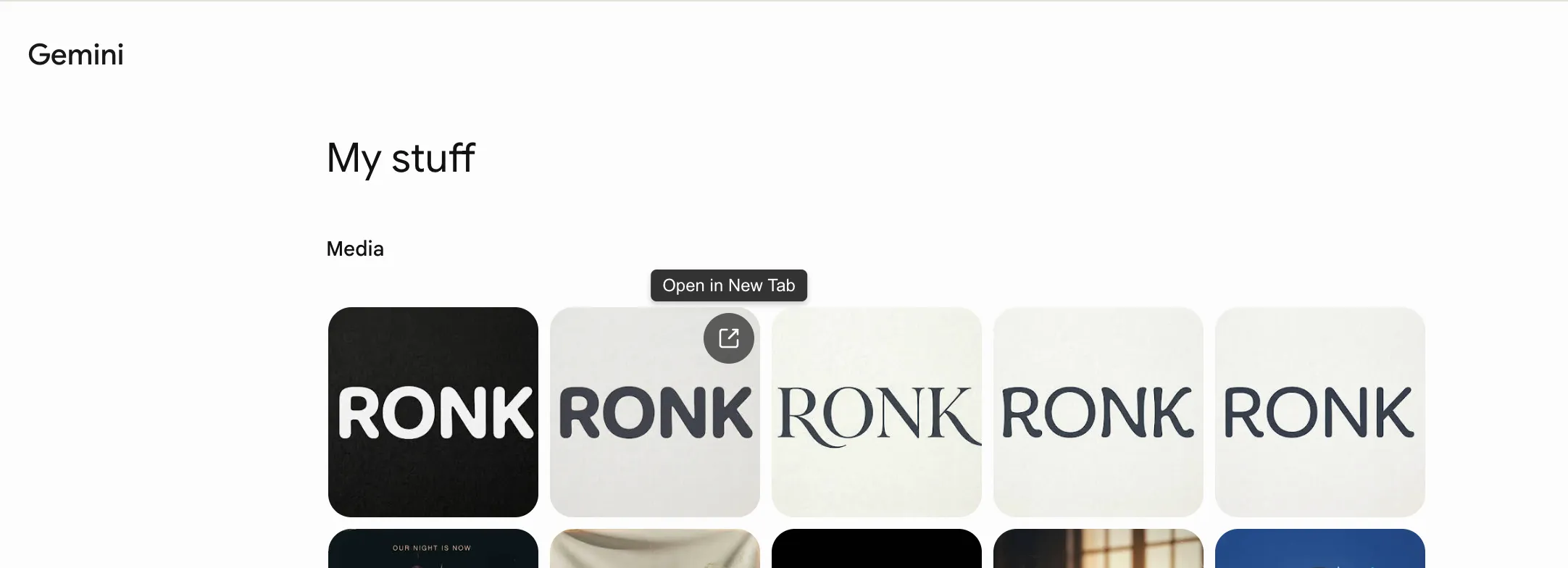
Section titled “Overview”Open in New Tab adds a direct new-tab action to each item in My stuff.
Why It Matters
Section titled “Why It Matters”On Gemini My stuff, opening a history item normally redirects the current page. This breaks browsing flow:
- You lose list context when leaving the page.
- Returning with Back often does not restore the previous scroll position.
- Native one-click new-tab entry is missing on item cards.
This feature solves those gaps by adding a dedicated Open in new tab action where users actually browse history.
Key Capabilities
Section titled “Key Capabilities”- Open a history item without leaving the current list page.
- Keep your current scroll position while exploring multiple items.
- Compare several chats/files across tabs in parallel.
Quick Workflow
Section titled “Quick Workflow”- Go to My stuff in Gemini.
- Hover an item card.
- Click Open in new tab.
- Continue browsing and opening more items.